
First Design
When designing my first photoshop portray I wanted to incorporate my love for flowers. Using clip masks, shadows, layer stacking and adjustments to create an illusion that the head opens in the middle and flowers come out of it. This design is meant to symbolise my love for flowers and especially roses and daisies which is why they are the two main flowers the viewers see. Especially the daisies since they are the only white ones which creates a focal point.
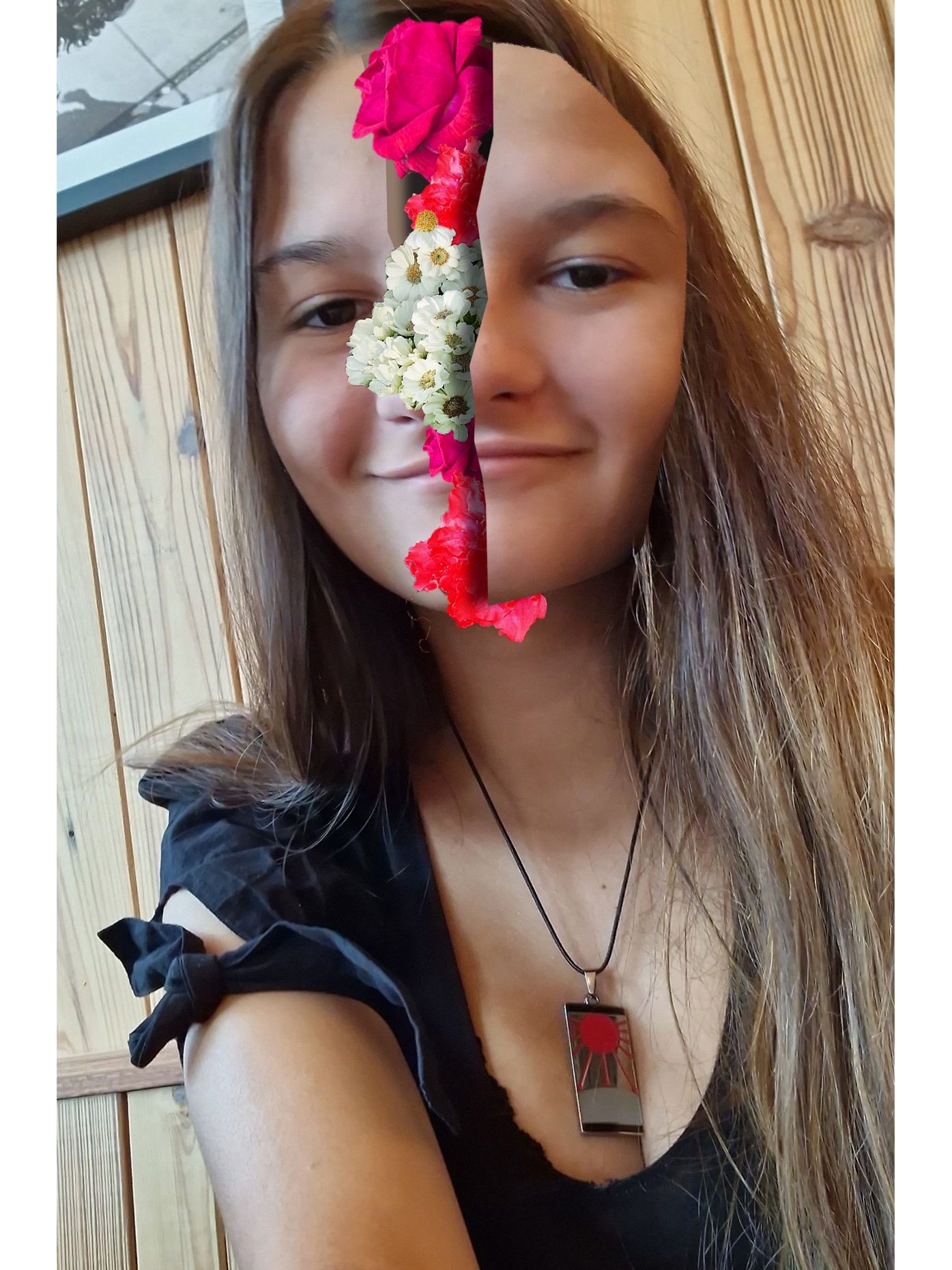
The photos used in the design of the flowers have been taken by me from a trip to a flower centre with my boyfriend. Using the hue/saturation and brightness adjustments in photoshop I made the flower’s colours be more bold and using the white daisies to create contrast and divide the two bold pink roses so that the design doesn’t feel or look too overwhelmed with colour.
Second Design
For my second photoshop portray I wanted to create a more magical design. From personal hobbies I have been into fantasy books and getting into the world of the book, which is what this design is trying to portray. When thinking about the message and how to portray it, I remembered my professor’s lecture about photography and specifically the ‘Fading Away’ 1858 photograph from Henry Peach Robinson. The photograph leaves a lot for the viewers to interpret the emotions and feelings for themselves, which is what I did for my design using the gloomy background and unhappy face expression.
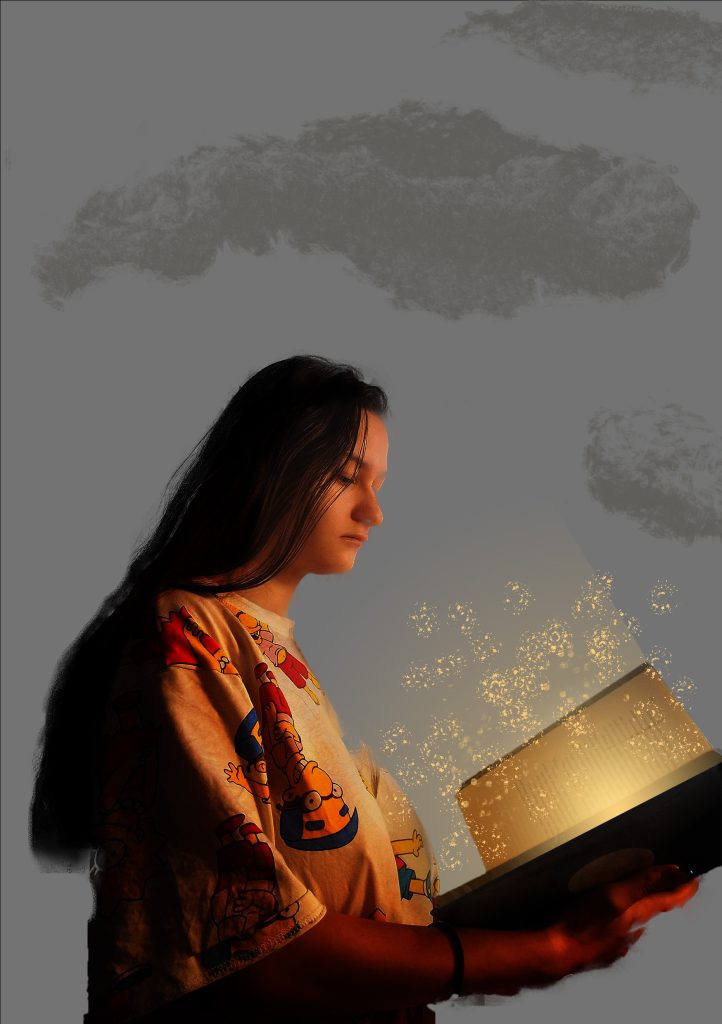
Using clipping mask, brightness adjustment, gradient, and brushes to create a fantasy look that the book is sparkling and illuminating the light onto me to portray the feeling of being transported into a book world. Using the brush effects in photoshop I created my own background using light grey as a starting background and layering darker grey with brush effects to create clouds as a background. As well as using brush effects to create the sparkles coming out the book.